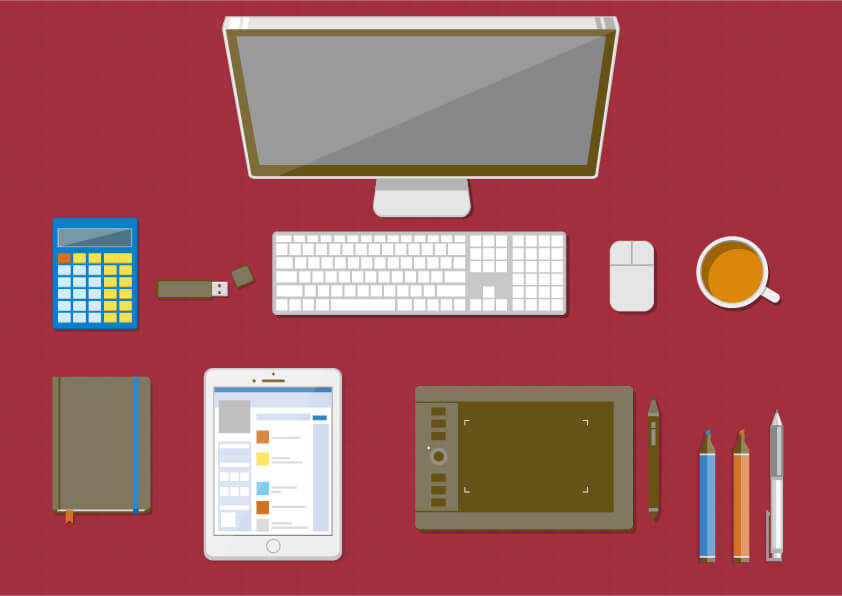
Are you interested in the modern art of drawing digitally? It seems so convenient, right? You can erase any errors, add layers with new ideas and work on any past version seamlessly. It is definitely cleaner than painting in real life and a lot better for innovating as you go. However, digital art skills are pretty advanced and need time to hone and master. Like all types of creative arts, digital art skills need practice and access to technology. If you are looking to explore the world of digital art, then we have got some top tips just for you!
illustAC is a part of ACworks platforms specifically created for illustrators to share their work. We host a number of talented artists whose work is featured on our website for users to download and use for their website, promotional campaigns, blogs, or social media. Most of the content on IllustAC is available for free.
Each time a piece of art is downloaded by a visitor, the artist gets some rewards. Companies and individuals can check out the platform, enter keywords on the search bar and explore the world of creative illustrations through IllustAC. We currently have more than 7 million registered users and the number continues to grow every day.
Now that you know about a platform where you can view a lot of digital illustrations for inspiration or reference, let’s move on to the tips of honing your digital art skills and turning the talent into a profession.
Practice Everyday to improve your digital art skills

Whether you are a writer, a musician, or a painter, the only way to make sure that you are improving is by putting in lots and lots of practice. Set aside some time each day to create something new big or small. Start by taking inspiration from real-life objects and once you are in the flow of the art form, let your inner creativity take over.
Initially, it is more than okay to mess things up, create something really basic or take inspiration from the work of other artists. Trust the process and as you grow, you will be able to learn from past mistakes and create beautiful illustrations with fewer errors. You can also join online forums or social media groups for digital artists where they give out prompts for the art. Sharing your work with other artists will also keep you accountable in the long run and you can receive feedback on how to improve from like-minded people.
Do your research on digital drawing software
There is a lot of software available in today’s market curated specifically for digital artists. Since there are a lot of options, you need to spend some time doing your research on which software would work best for your art. Digital illustration software is usually paid but often comes with a free trial.
You can use the trial period to check if the software is compatible with your work requirements and method. Since the software is the most important tool for digital art, you need to dig deep and find the one that works best for you. Once you are comfortable with particular software, you can start working on your art with a free mind.
Invest in a Pen Tablet
If you are serious about turning this skill into a marketable profession, start out by investing in a pen tablet. You can connect it to your computer through a USB and will be able to draw better images than on a computer. There are two types of tablet options available for digital artists- one where you draw directly on the screen and the other one where you draw on a surface while looking at the monitor.
Choose the one that’s suitable for your use so that you can practice the art better. While making a choice to invest in a tablet, the most important thing is to check the sensitivity. We all apply different pressures while writing or drawing so pick a tablet that works according to your hand movements and pressure.
Work on a larger canvas
Working on a larger scale and then reducing the size if required reduces the risk of pixelation. When you are working on a smaller skin like a touchpad, you can zoom into the details and work in one focused area while working on a larger canvas.
To guarantee the best image quality, in the end, results always choose the larger size of the canvas. If you have an assignment for a particular size of digital art, it is best advised to work on a slightly bigger scale and then reduce the size to secure the quality of your work. Maintaining the perfect color while working on a digital illustration can be tricky and this tip works best in that area.
Are layers your friends?
When you are drawing on a piece of paper, you can only erase your errors a certain number of times before it starts hindering your art. However, while working on digital art, you can go back and forth as many times as you want. Some artists are ruthless with the undo and erase buttons while working on their digital art while others prefer to work on layers if the art piece is too detailed.
Working on layers is usually advised to beginner digital artists but it does not work creatively for some people. Familiarise yourself with the layer menu and try to get the most out of the tool before deciding if it is adaptable to your creative style or not.
If you prefer to work on a single layer, then you can erase your mistakes and start over again. This will also teach you to become more confident with your brush strokes and gradually give you the power to explore more creative freedom as you go.
Give time to each basic tool
Often beginners skip through the basic brushes and pencils and jump straight into the advanced stuff. Even if you think that the basic tools of digital illustration software are easy and under your control, spend some time flourishing the strokes and mastering the art technique. This way, you can seamlessly transition into the advanced area and grow comfortable as you go.
If you want consistent results with your art form then you have to be as mindful of the basics as you are with the advanced area. Most software comes with an array of brushes and tools. Play with all the available equipment to grow your skill more confidently and comfortably instead of sticking to the only art style you know.
Start simple, grow gradually
If you are completely new to the digital art field, then brush off with the basics. Draw squares, circles, triangles of various sizes. Start with a line and spread the points further apart to get more and more control over your hand on a screen.
Explore the more basic drawing exercises available on the internet. This is a practice even professional digital artists focus on for the first 10-15 minutes before setting on creating a bigger masterpiece. This practice allows artists to enter the creative zone while moving their hands in basic shapes on a screen. Over time, this exercise will help you gain confidence in your art form and will separate your “artist zone” from the rest of the day.
Composition matters
Whether it’s illustration or photography, the composition is a key element of every visual art. Composition guides the eye of the audience easily through all the elements or subjects in your art. There are different types of composition available for you to explore. Most artists keep the main subject in the center of the art but that is not a hard and fast rule.
You can play around with the composition for your piece as much as you want but, in the end, check if the art looks too chaotic or maintains a certain symmetry. It is always nice to have someone else look at the art and give you constructive feedback, especially when you are beginning in a new art form. This will help you improve your skills professionally.
Pen and Paper Art and Digital Art Can Go Hand in Hand
Every digital artist has some form of practice on the traditional art forms. Whether it’s a sketch, an elaborate painting, or even a simple doodle, a grasp on pen and paper art can only further hone your digital art skills. Some artists sketch the outline of the art in the traditional way and then scan it to add colors, shadows, and details digitally.
Others make a reference to the art on paper before getting started on the monitor. It is okay if you want to keep your art style limited to computer screens. However, if you are still new to digital drawing then it is best to keep a firm hand on pen and paper art just to keep the creative juices and confidence flowing.


2D to 3D
One thing that is really important in digital art is to picture your subject in 3D and get the shadows right. It is a very fundamental piece of advice that is often overlooked. Unless you are using digital illustration to draw cartoons or complete abstract work, you need to pay attention to the 3D detailing in the final results. Unlike traditional art forms, getting a 3D look and feel of your art is easier when it’s created digitally.
The best way to open your perspective about 3D art is to start by replicating real-life objects. Once you get a good understanding of how light plays on your subject in real life, you can bring that knowledge into your digital art form.


Reference can help you create something great
To be completely clear, we are not asking you to plagiarize someone else’s work. However, having a reference as a guiding point to your art can really transform your piece into something amazing. Whether you bring that reference from real life, like mentioned in the point above, or you use the work of someone who really inspires your art, it is best to add in references while setting on the journey of creating digital art.
There is an artist who draws self-portraits digitally while keeping a mirror in front of their face and adding lights from various angles to create depths and shadows in the reflection. Another artist takes their art kit along in all travels so that they can draw the beauty of nature just when they are looking at it. You can take your time to figure out what references work better for you and how.
DeviantArt is a good place to find inspiration and learn digital art skills from talents around the globe.
White backgrounds are out
Have you ever had an art teacher who told you to always use white background while drawing? It is time to unlearn that tip. White backgrounds create a harsh contrast with the colors that you use on the art piece. Rather, go with a neutral tone like the lightest shade of blue or simple beige as a background and then build on your colorful piece of work.
If you are in the mood to explore, try a completely black background and create the outlines with a white pen. It is a bold move but white on black looks better on digital art than black on white and it gives a sense of abstract right from the beginning.
And with these twelve tips that can help you improve your digital art skills, we are at the end of this article. We hope that you found at least some of these suggestions helpful and will incorporate them into your art style as you go on with creating some awesome pieces of work! Remember that digital art, like any form of creativity, takes time to perfect.
If you are a beginner digital artist, we suggest you have a routine to practice and hone this new art form till you gain confidence with what you are doing. Eventually, you will form your art style and be ready to turn this skill into a profession.
If you are searching for platforms that can help you find references for commercial digital illustrations, illustAC is a free illustration-sharing platform that you can explore. You can view the work of other digital artists, save them for later and come back for some more. illustAC is also available for companies looking to use illustrations on their website or social media. The platform is free, and you can download a certain number of images each day.